
Free marketing strategy generator
The marketing strategy generator that shows its sources
Enter your company and website. Get a 45+ slide strategy deck your leadership team can actually use: market sizing, PESTEL, Five Forces, competitors, SWOT and TOWS, personas, channels, a 12-month plan, budget and the next 90 days. Every figure links to the source it came from.
Build my strategy deck Free · No account needed · First slides in about 2 minutes- 45+slides per deck
- [n]citation on every figure
- PPTX + PDFeditable or ready to present
- Your brandcolours and heading font
What's inside
The full strategy, structured the way a board reads it
Five chapters that go from direction to a costed plan. Slide headlines state the conclusion, and each analysis ends with what to do about it.
Direction
- Vision and mission
- Business, marketing and brand objectives
- North-star metric and KPIs
Market
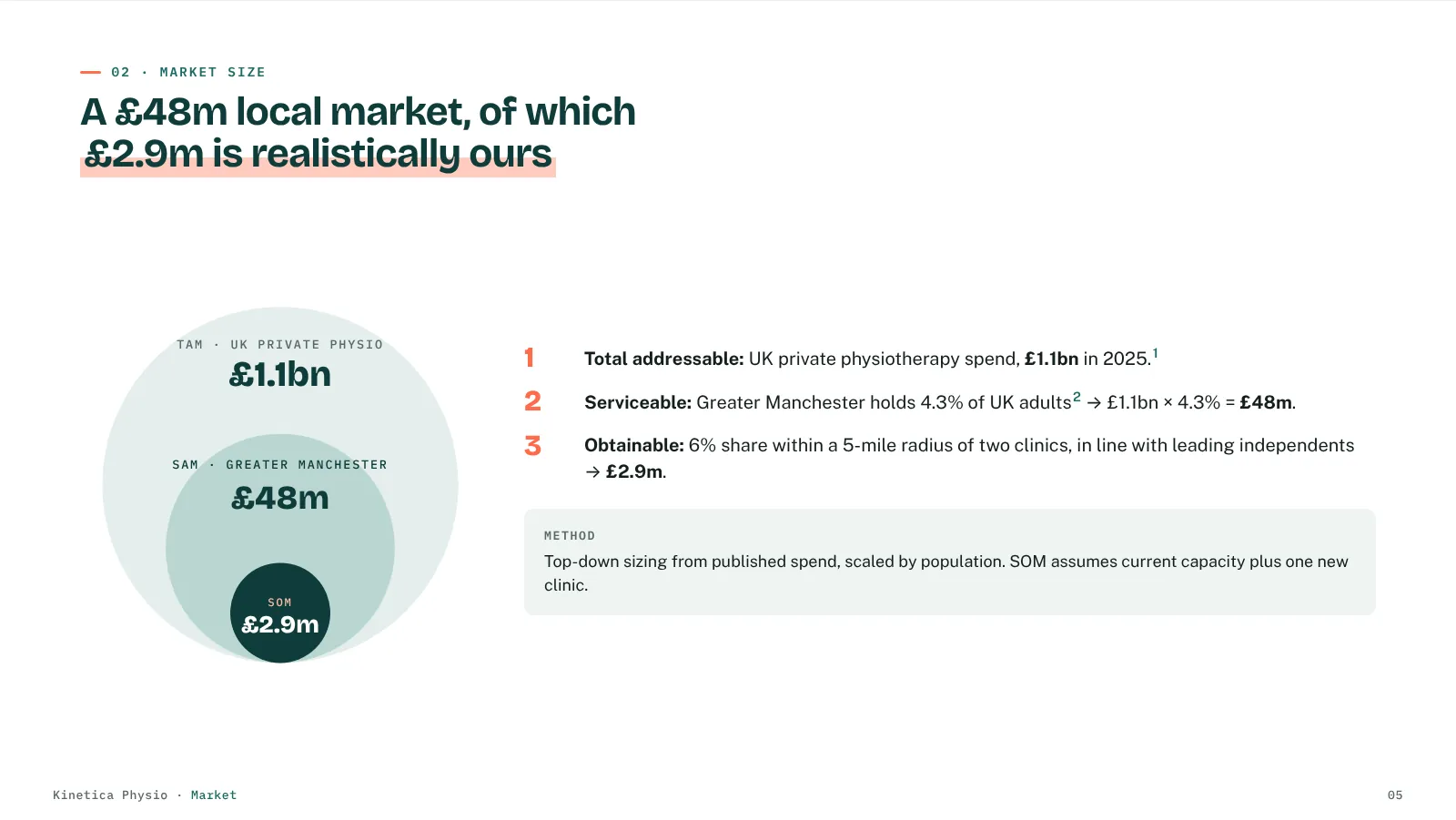
- TAM, SAM and SOM, calculation shown
- Market trends
- PESTEL plus 6 deep-dives with current news
- Five Forces plus 5 deep-dives
Competition
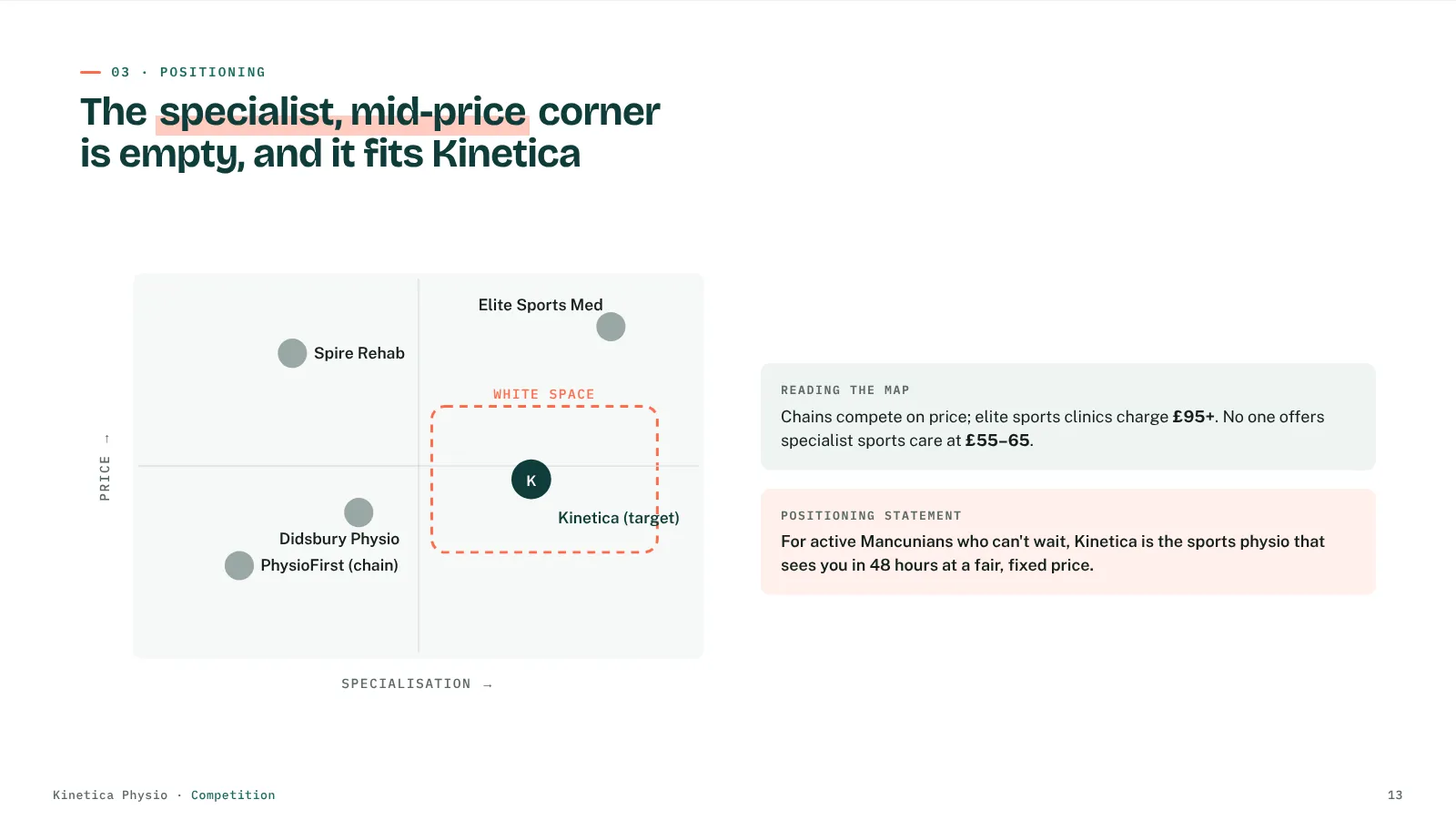
- Positioning map and white space
- Competitor comparison table
- 3 competitor profiles
- SWOT, 4 deep-dives and TOWS
Audience
- Segmentation and priority matrix
- Primary persona
- Secondary personas
Plan
- Channel funnel
- Content pillars
- 12-month campaign calendar
- Budget split and targets
- 90-day action plan
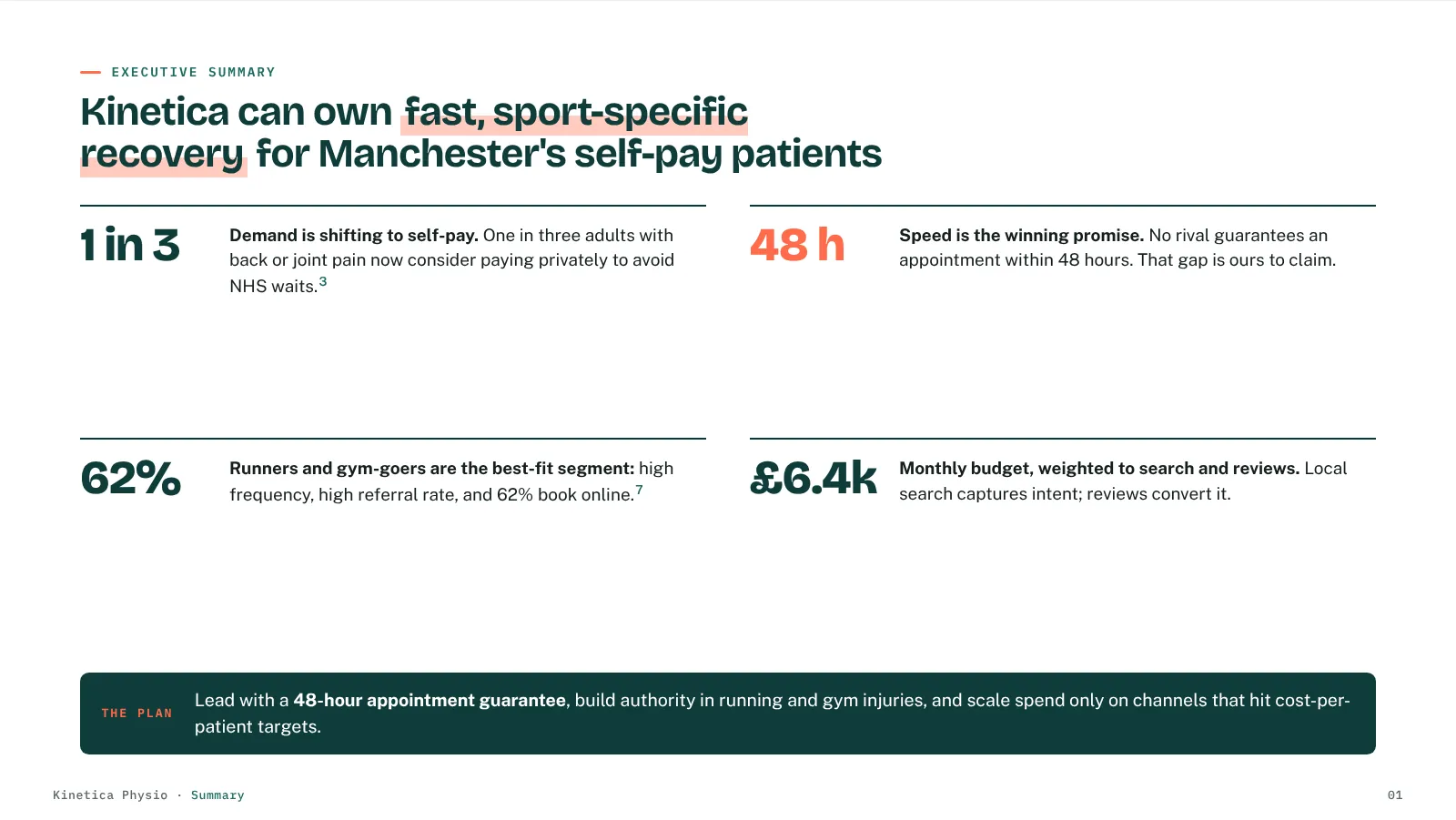
Plus a cover, a one-slide executive summary and a References slide listing every source.
Full example
See a complete deck before you fill anything in
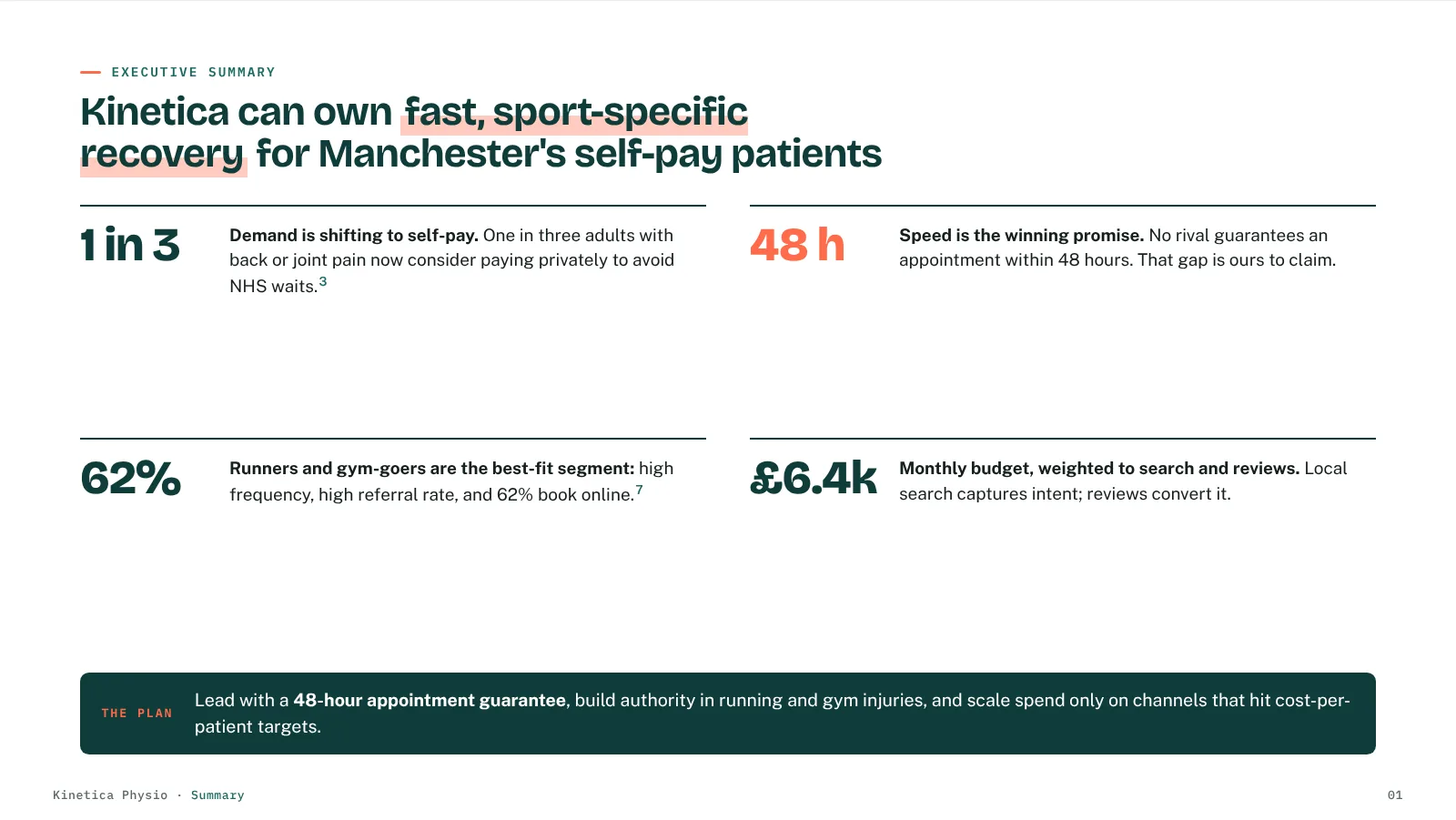
This is the actual format, slide by slide. Use the arrows, the chapter tabs or your keyboard.
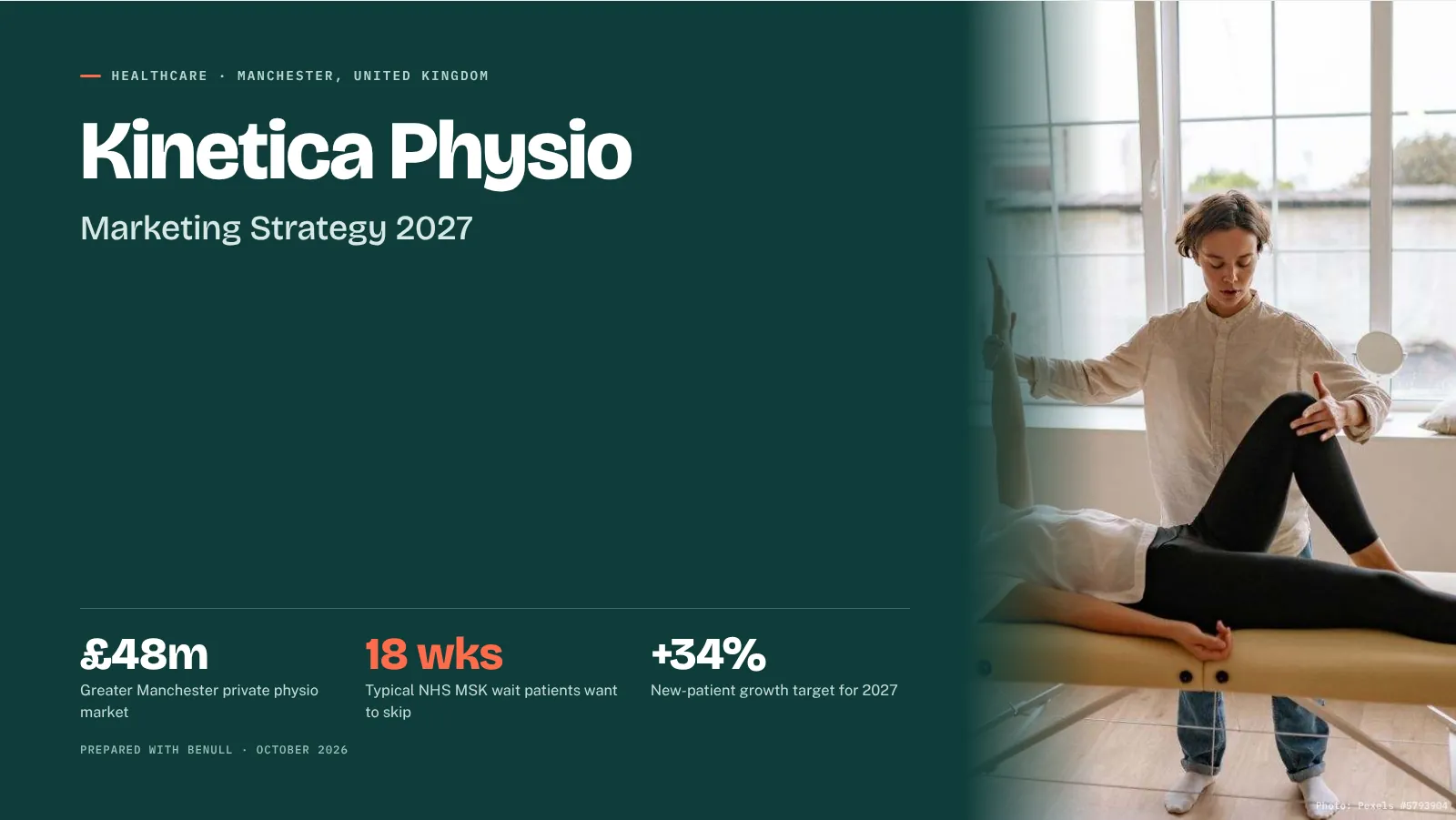
Kinetica Physio is a fictional clinic created to show the format, and its figures and sources are illustrative. This sample is condensed to 35 slides. Your deck is researched for your company, with real sources you can click, and runs to 45+ slides with every deep-dive.
Before you trust it
The four questions marketing leaders ask first
"Where do these numbers come from?"
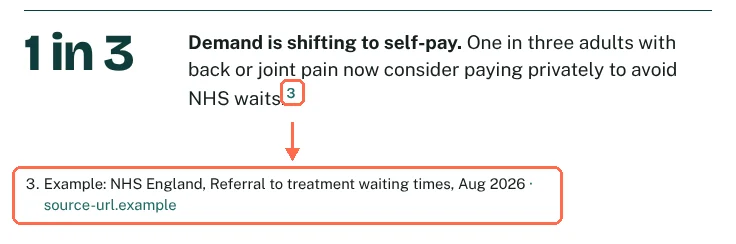
Every figure is cited. If there's no source, the slide says so.
For each report, the tool searches the web for your market, competitors, regulation and news, then numbers the sources. The AI may only use figures from those sources or from your own website and inputs.
- A citation on every number, linked to the References slide
- "Data not found" instead of a guess, so gaps are visible
- Competitors you name are used first; others must appear in the sources
- Add your own facts in "Additional information" and the deck uses them
- You can't hand-pick the sources yet, but you can open every one before it reaches your board
"My team will want to change it."
Download it as an editable PowerPoint, then make it yours.
Treat the deck as a strong first draft. Rewrite a headline, cut a slide, add your internal numbers: the text and tables are real PowerPoint objects, not pictures of slides.
To edit
- Editable titles, text, lists and tables
- Opens in PowerPoint, Keynote and Google Slides
- Charts and diagrams come in as images
To present
- One 16:9 page per slide
- Numbered citations and a References slide
- Ready to send as it is
"It needs to look like us, not like a template."
Your colours and heading font run through every slide.
Turn on "Customise my report" in the form and pick your primary, accent, background and text colours, plus a heading font. Charts, highlights and section slides all follow them. Try it on the sample:
"AI strategy is usually generic."
Written like a consultant: conclusion first, then the move.
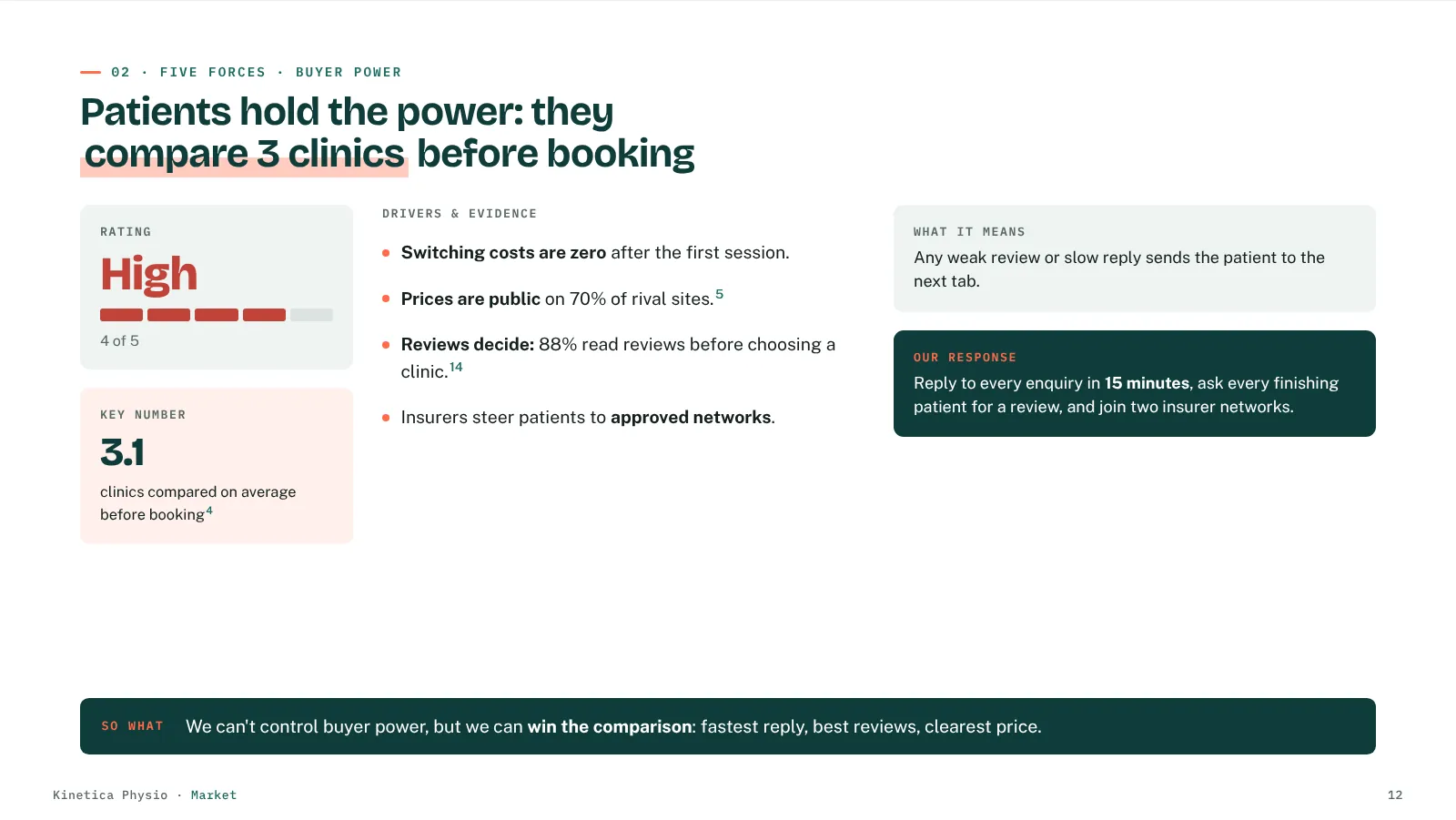
Generic output lists frameworks. This deck draws conclusions from them and ties evidence to action for your company.
- Slide headlines state the insight, not the framework name
- Each deep-dive ends in "So what" and a concrete move for your company
- SWOT is turned into TOWS strategies, not left as four lists
- Everything lands in a 12-month calendar and a 90-day plan
How it works
From blank page to deck in three steps
Tell us about the company
Company, industry, website and country are required. Competitors, goals, budget, brand colours and your own notes are optional, and make the deck sharper.
About 2 minutesWatch the first slides build
The research runs live for your company. The first slides appear on this page so you can judge the quality before you share an email address.
About 2 minutesGet the full deck
Unlock the rest with your name and work email. We email a private link to view every slide and download the PDF and PPTX.
Link valid 30 days
Your options
How it compares to the usual routes
| Route | First draft | Cost | Research | Sources you can check | Output |
|---|---|---|---|---|---|
| This generator | Minutes | Free | Done for you, live | Every figure, numbered | 45+ slides, your brand, PPTX and PDF |
| Agency or consultant | Weeks | Project fee | Done for you | Usually | Custom deck |
| Blank strategy template | Days of your time | Free to low | You do it | Whatever you add | Empty slides to fill |
| General AI chat | Minutes | Free to low | Varies | Varies, often missing | Text you turn into slides |
Where people still win: workshops with your team, your internal data (CRM, sales, margins) and someone accountable for delivery. Use the deck as the researched starting point for that conversation, not a replacement for it.
FAQ
Questions, answered
Is it really free?
Yes. There is no charge and no account. You see the first slides in your browser. To unlock the full deck, you give your name and work email, and we email you a private link to view and download it.
What do I need to provide?
Four things: company name, industry, website and country. Everything else is optional. The more you add (competitors, goals, budget, your own notes), the more specific the deck gets.
Where does the data come from?
For each report, the tool searches the web for your market, competitors, regulation and news. The sources are numbered and the AI (Google Gemini) may only use figures from those sources or from your own website and inputs. Every figure carries a citation that links to the References slide. If no source has the figure, the slide says "Data not found".
Can I choose the sources?
Not yet. You can see and open every source before you present anything, and you can add your own facts in the "Additional information" field, which the deck uses as company information.
Can I edit the deck?
Yes. Download the PowerPoint file: titles, text, lists, tables and shapes are editable objects, so it opens in PowerPoint, Keynote or Google Slides. Charts and diagrams come in as images. The PDF is ready to present or send as it is.
Can it use our brand colours and font?
Yes. Turn on "Customise my report" in the form, pick your primary, accent, background and text colours, and choose a heading font. The whole deck uses them.
How long does it take?
The first slides appear in about 2 minutes. The rest is researched in the background and usually finishes a few minutes later. Your private link works for 30 days.
Is my information safe?
Please do not enter confidential or personal information. Business details are processed by Google Gemini to write the deck. We store your name and email to send your report and, with your consent, to follow up about related services. You can unsubscribe at any time.
Is the sample company real?
No. Kinetica Physio is a fictional clinic made to show the format. Its numbers and sources are illustrative. Your deck is researched for your company, with real sources you can click.
Your next strategy meeting starts with a draft, not a blank page
Free, researched for your company and cited throughout.
Build my strategy deckStart here
Build my strategy deck
Four required fields. Add more detail for a sharper deck.